how-to-deploy-pocketbase-to-cloud-run
npx skills add https://github.com/rodydavis/skills --skill how-to-deploy-pocketbase-to-cloud-run
Agent 安装分布
Skill 文档
How to Deploy PocketBase to Cloud Run
It is now possible to run PocketBase on Google CloudRun because of the recent support for mounting volumes. This is a guide on how to deploy PocketBase on Google Cloud Run.
FeaturesÂ
- Scale to zero
- Infinite storage (and file deletion protection, file versions, and multi region)
pb_data/pb_public/pb_hooks all in the same file system- Backups can be done either by PocketBase or by protecting the bucket
PrerequisitesÂ
- Google Cloud project
- Google Cloud Storage bucket
Getting StartedÂ
Fork this repository or click “Use this template” to create your own repository.
StepsÂ
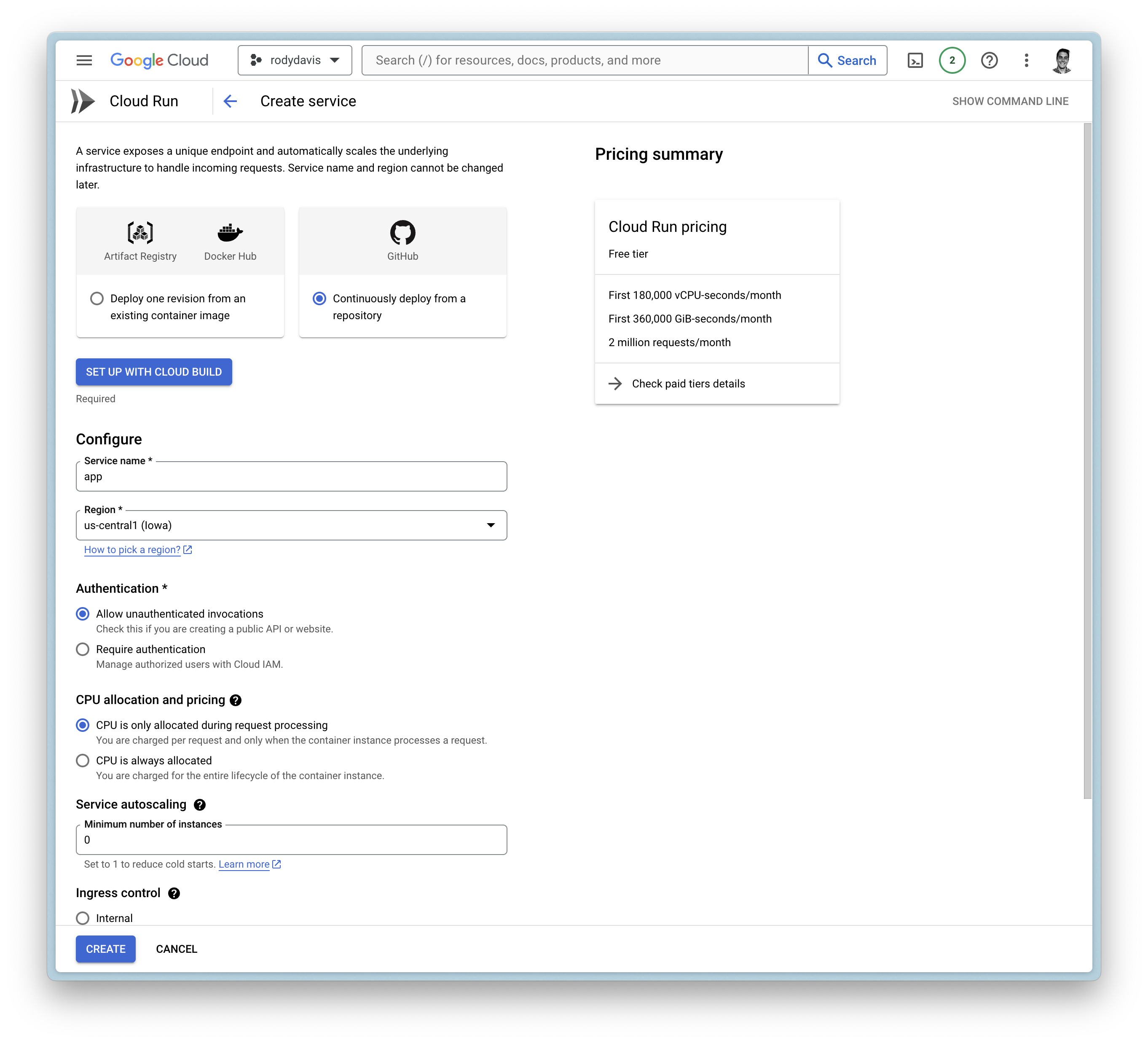
Create a new service
Google Cloud BuildÂ
- Setup with Cloud Build
- Repository Provider:Â
GitHub - Select Repository:Â
THIS_REPOSITORY_FORK
- Repository Provider:Â
- Branch:Â
main - Build Configuration:Â
Dockerfile
General SettingsÂ
- Allow unauthenticated invocations
- CPU is only allocated when the service is handling requests
- Maximum number of requests per container is set toÂ
1000 - Maximum number of containers is set toÂ
1 - Timeout is set toÂ
3600 - Ingress is set to internal andÂ
all traffic
Container(s), Volumes, Networking, SecurityÂ
VolumesÂ
- Add volume
- Volume type:Â
Google Storage bucket - Volume name:Â
remote-storage (or any name you want) - Bucket:Â
YOUR_BUCKET_NAME - Read-only:Â
false
- Volume type:Â
Container(s)Â
- Startup CPU boost isÂ
enabled - Volume mount (s)
- Volume name:Â
remote-storage - Mount path:Â
/cloud/storage
- Volume name:Â
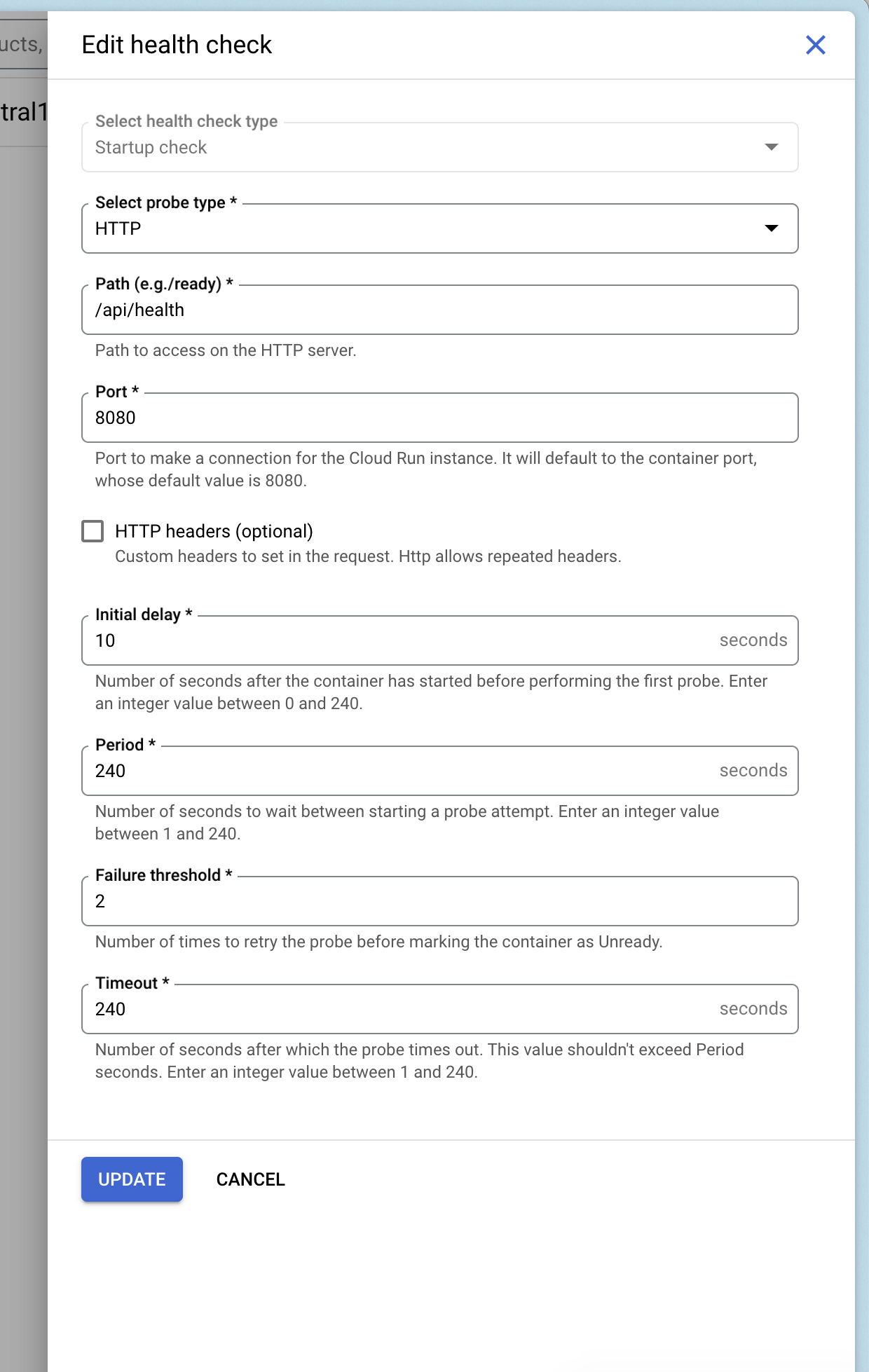
Add Health ChecksÂ
You can add a health check to your service that uses Pocketbase’s health check endpoint /api/health.
Deploy and WaitÂ
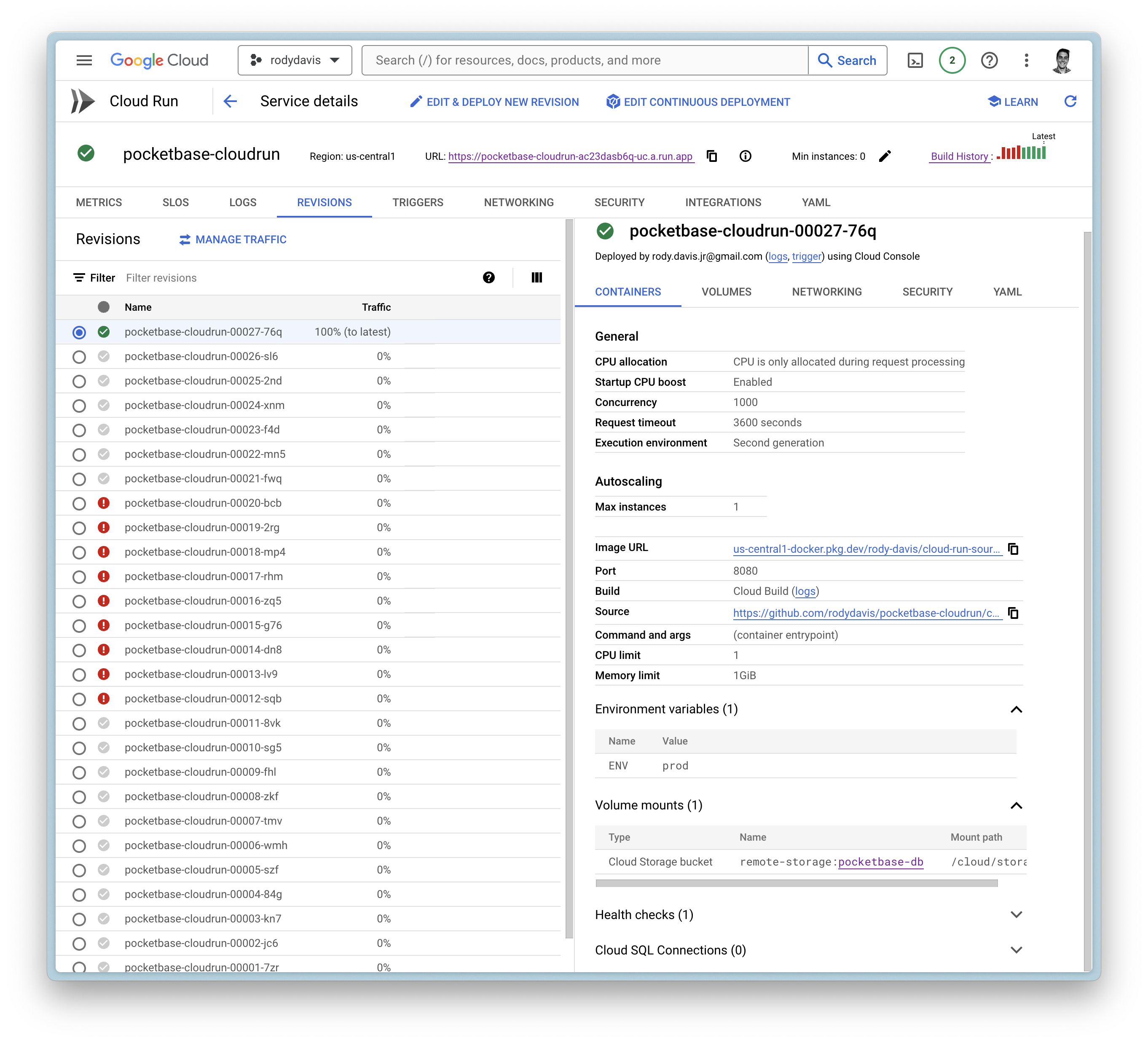
Now create the service and wait for the cloud build to finish.
If everything goes well, you should see the service deployed.
FAQÂ
What if I have local files that I want to use?Â
pb_data, pb_public, and pb_hooks are all directories you might use during development.
You can upload these directories to your Google Cloud Storage bucket you created earlier to the root directory.
Can I use a custom domain?Â
Yes, you can use a custom domain. You can follow the guide on the official documentation.